Home / Construction Drones
Drone monitoring & drone surveying services
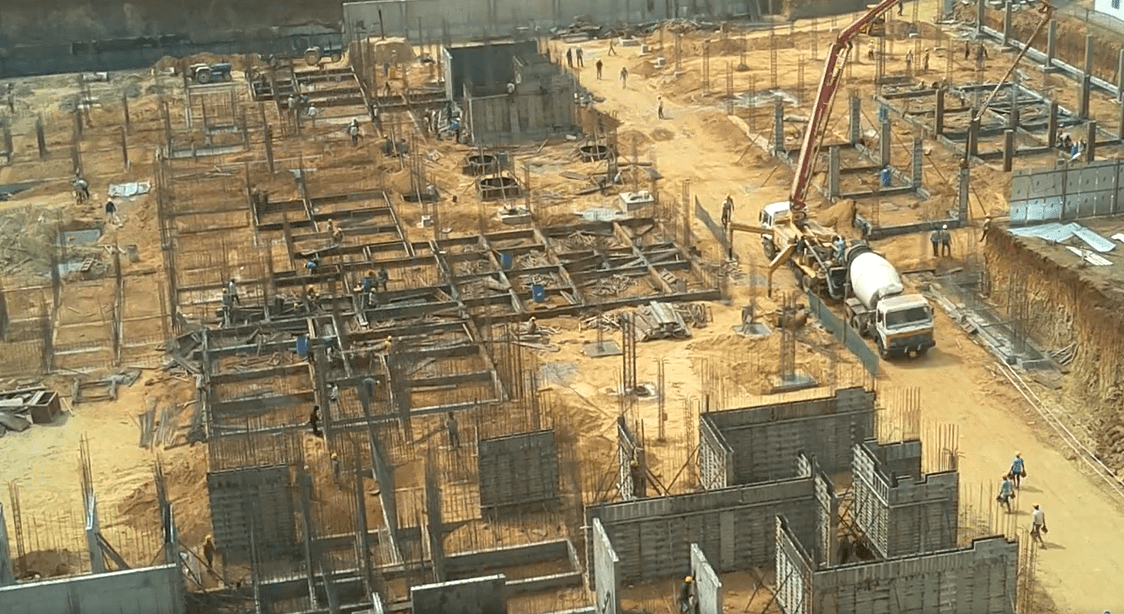
Drone Monitoring & Surveying Services for Construction
We fly on your site at a fixed schedule and turn every flight into something useful: progress photos, 4K videos and 360° views for the monthly review, plus survey-grade point clouds, orthophotos and terrain models when you need hard numbers. It all sits on one dashboard your team can open in a browser.
ISO 9001:2015
ISO 27001:2022
Orthophoto ready
Visit 14 · 42 ha stitched
Waypoint mission
Same path as Visit 13
Point cloud processing
Est. 3 h remaining
What one drone program can deliver for your site
- Aerial Photos
- Drone Videos
- 360° Panoramas
- 3D Point Cloud
- Orthophotos
- Digital Terrain Model
Monitoring (visual)
Survey (measurable)
Drone monitoring vs drone surveying
Two services, one flight schedule
Drone monitoring shows how your site is changing. Drone surveying tells you by how much. Many construction teams start with one and add the other once the project picks up pace.
Drone monitoring services
Drone Monitoring for Construction
Regular flights over the same route, so project heads, owners and lenders can see real progress without travelling to site.
- Aerial photos, 4K video and 360° panoramas on every visit
- Waypoint flights that repeat the same path and camera angles
- Geo-tagged media pinned to a map and sorted by flight date
- Side-by-side comparison of any two visits
- PDF progress reports, slideshow videos and WhatsApp updates
Drone surveying services
Drone Surveying for Construction
Photogrammetry flights with high image overlap, processed into measurable outputs for design checks, earthwork tracking and quantity verification.
- 3D point cloud and textured mesh model
- Georeferenced orthophotos (orthomosaics)
- Digital terrain model with contour lines
- Distance, area and stockpile volume measurement
- Section cuts and cut/fill volume analysis
- 3D Gaussian Splats and 4D timelapse on request
What you get
What our drone surveying and monitoring services deliver
Every output opens in the browser on the OpticVyu dashboard. Nobody on your team needs GIS software to view it, measure it or share it.
01Aerial photos, videos & 360°
Every visit, captured three ways
Each flight produces stills, video and 360° panoramas. Files are geo-tagged, filed under the flight date and shown beside a map of the site. If someone asks how the north-east corner looked in March, you can pull it up in a few seconds.
- High-resolution photos, 4K video and 360° panoramas
- Waypoint missions keep the route and angles the same each time
- Add project notes over a video without editing it
- Share by link or review on the OpticVyu mobile app
02Before & after comparison
Compare any two flight dates
Choose two visits and view them side by side, or drag a slider across them. The drone flies the same waypoints every time, so the frames match up. Progress is easy to read, and so are delays.
- Side-by-side and slider views for photos and video
- Comparison reports scheduled monthly, bi-monthly, quarterly or half-yearly
- Slideshow videos of chosen locations for review meetings
- A WhatsApp alert as soon as a new report is ready
03Overlay layers
Put your drawings on top of the real site
Place site plans, CAD layouts, boundaries and utility routes over the latest orthophoto or 3D model. Switch layers on and off, lower the opacity, and you can see where work has drifted from the design while it is still cheap to fix.
- Overlay CAD/DWG layouts, site plans and KML boundaries
- Turn layers on or off and set opacity for each one
- Check roads, foundations and services against the design
- Markups and notes carry over from visit to visit
043D point cloud & textured model
A 3D model of your site that you can measure
We process hundreds of overlapping aerial images into a dense point cloud and a photo-textured mesh. You can orbit, slice and measure the model in a browser tab, which is usually all a site engineer needs.
- Dense, coloured point cloud and realistic textured mesh
- Measure distances, areas and stockpile volumes
- 3D Gaussian Splats for photo-real site walkthroughs
- Export files for your CAD and BIM workflows
05Orthophotos
One accurate map of the whole site
An orthophoto is hundreds of aerial images stitched together and corrected for lens and terrain distortion. The result is a georeferenced map at true scale, so you can measure on it and lay drawings over it.
- Georeferenced orthomosaic covering the full site
- Measure distances, perimeters and areas on the map
- Overlay site plans and CAD layouts to check alignment
- A fresh orthophoto every visit to track layout changes
06Digital terrain model (DTM)
Know your ground levels before you dig
A digital terrain model shows the bare earth, with buildings, vehicles and vegetation filtered out. Engineers use it to check levels, plan drainage and set out grading before earthwork starts.
- Bare-earth DTM with colour-coded elevation
- Contour lines at the interval you specify
- Slope, grade and drainage analysis
- Compare ground levels before and after earthwork
07Section cuts & cut/fill volumes
Cut a section. Get the volumes.
Draw a line anywhere on the model and you get the ground profile along it. Compare it with the design surface or an earlier survey, and cut, fill and net volumes are worked out for you. Useful for earthwork progress, contractor bills and quantity checks.
- Elevation profile along any section line
- Existing ground vs design surface or a past survey
- Cut, fill and net volumes with a colour heatmap
- Download profiles and volume reports to check bills
How our drone surveying works
Four steps from site visit to dashboard
Our team plans the flights, gets the permissions, flies the drone and processes the data. You log in and look at the results.
-
01
Plan
We walk the site with you, agree what to capture and how often, then set up waypoint missions and airspace permissions (DGCA / Digital Sky).
-
02
Fly
Certified pilots fly the saved missions. Monitoring flights capture photos, video and 360°; survey flights run high-overlap grid patterns.
-
03
Process
Media is geo-tagged and filed by date. Survey data becomes point clouds, orthophotos and DTMs, each checked before release.
-
04
Deliver
Results appear on your dashboard with comparisons, reports and WhatsApp alerts, ready to share with the wider team.
Why OpticVyu
A drone survey gives you a snapshot. We give you the whole project.
Plenty of providers can fly a site once and send a survey file. Construction teams need a record they can compare month after month, and that is what our drone monitoring services are built around.
| Capability | Typical drone survey vendor | OpticVyu |
|---|---|---|
| Photos, 4K video and 360° monitoring | Often not included | ✓ Included |
| Point cloud, orthophoto and DTM | ✓ | ✓ |
| Same flight path on every visit | Varies | ✓ Standard |
| Visit-to-visit photo and video comparison | Manual | ✓ Built in |
| Scheduled PDF reports and WhatsApp alerts | Not included | ✓ |
| Drone, time-lapse and 360° interior data in one place | Not included | ✓ |
| ISO 27001:2022 certified data security | Varies | ✓ |
Who uses it
Drone monitoring and surveying for every kind of project
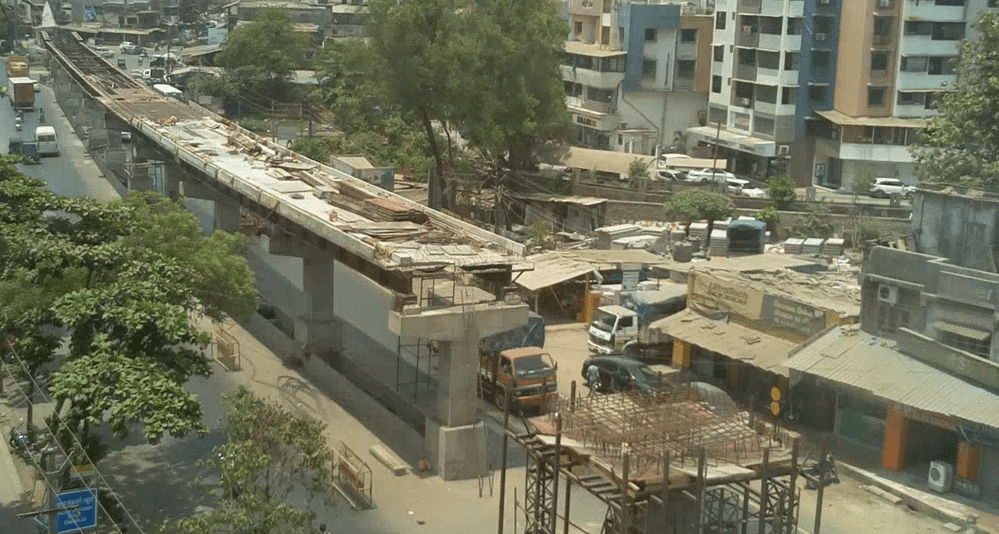
Linear Projects
Highways, railways, pipelines and transmission lines, with long corridors mapped in fewer flights
Learn more →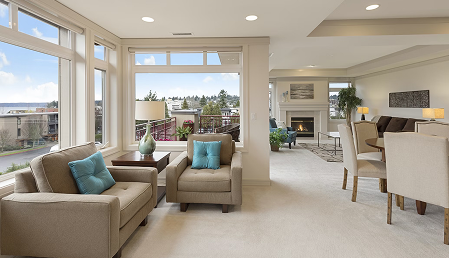
Real Estate & Buildings
Towers, townships and commercial buildings, with progress updates for developers, lenders and buyers
Learn more →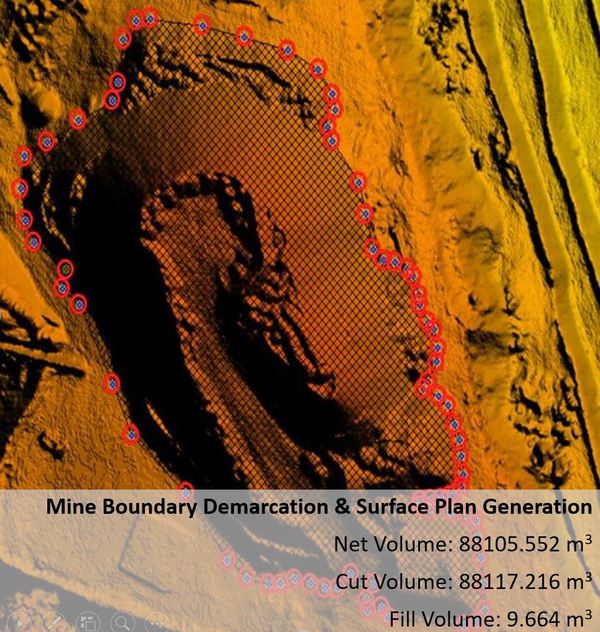
FAQs
Drone monitoring and drone surveying: common questions
Drone monitoring is regular visual capture (photos, video and 360° images) along a fixed flight path, so you can see how a site changes over time. Drone surveying uses photogrammetry to produce measurable data such as point clouds, orthophotos and terrain models, which you use for levels, quantities and design checks. Many construction projects use both.
We plan a waypoint mission for your site and fly it on an agreed schedule. Each visit captures photos, 4K video and 360° images from the same positions. Files are geo-tagged, uploaded to the OpticVyu dashboard and sorted by date, where you can compare visits and create PDF progress reports.
Standard RTK drone surveying can achieve approximately 95% accuracy, while LiDAR drone surveying with Ground Control Points (GCPs) can achieve up to 99% accuracy, depending on site conditions, equipment, and survey requirements.
It depends on the phase. Earthwork and structural stages move quickly, so weekly or fortnightly flights are common. Finishing stages may need only monthly flights.
The client is responsible for obtaining the required DGCA permissions. However, we assist by providing the necessary supporting documents. We also work with qualified, registered drone pilots to help ensure that drone operations comply with applicable regulations.